
SharePal - Lightning speed sharing.
Lightning speed sharing!
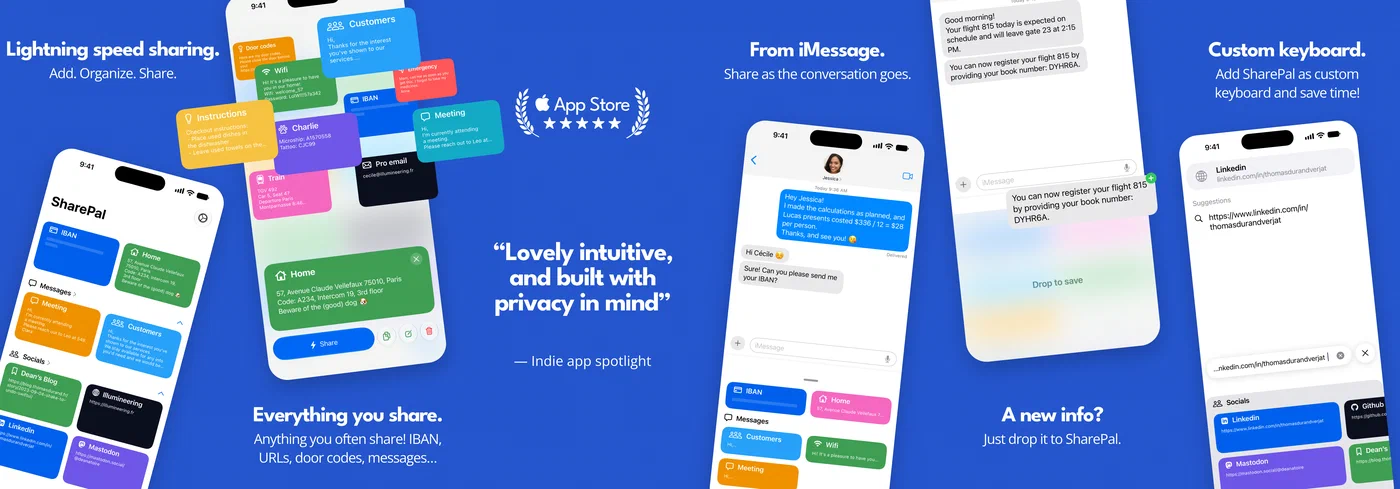
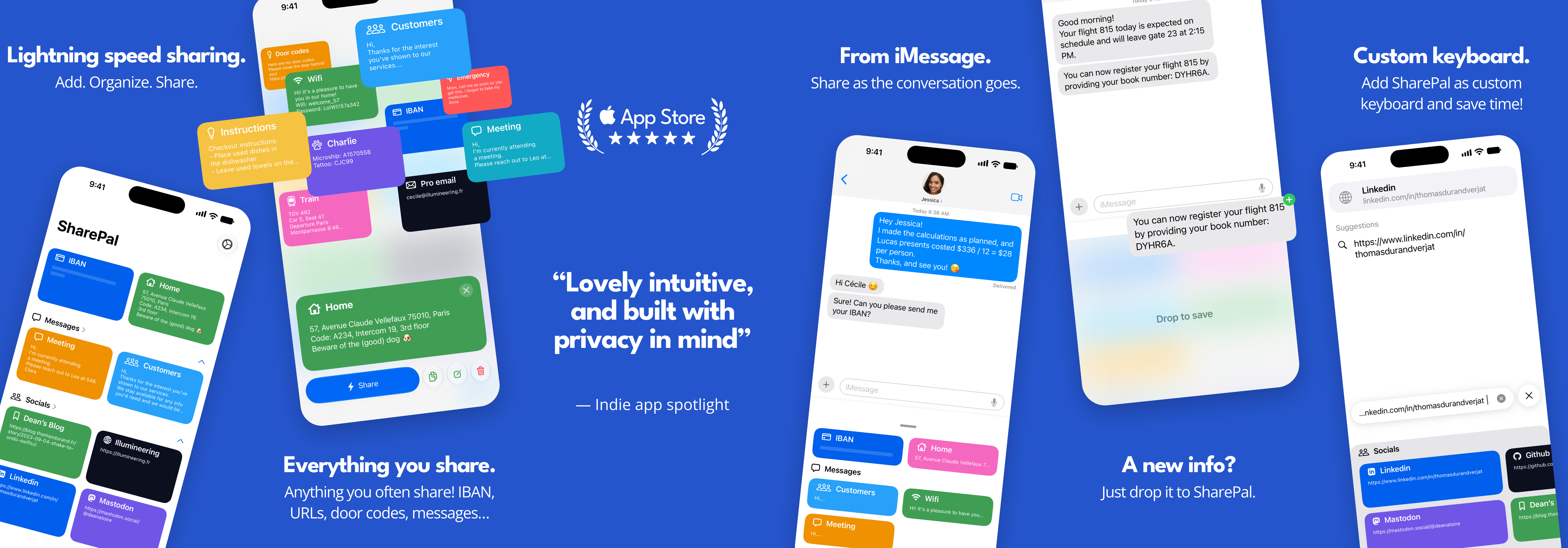
Websites, networks, IBANs, addresses, entry codes: are you sharing the same information over and over again? SharePal is designed to boost your organization.
With its uncluttered, colorful and intuitive interface, SharePal is designed to make it easy to organize and share all your data: URL links, important or frequently shared information, but also messages you want to be able to send quickly.
Features
The best way to add information
SharePal is designed for intuitiveness and simplicity. You can add information by quickly typing it in from the main interface, by pasting it from your clipboard, intuitively and elegantly by “drag and drop”, simply dragging it to your SharePal shortcut.
Sort your information intuitively
SharePal offers you a wide range of icons and colors, each carefully selected! To simplify access to the right data when you need it, you can create categories to categorize your information: Websites, blog posts, customers, home, and any other categories you find useful.
Share your information with simplicity and elegance
Because we think you’ve got a lot to share, SharePal is entirely designed to simplify the sharing of all your information by making it accessible in all circumstances. Share them quickly from within the application, or at lightning speed by simply dragging and dropping them from your SharePal shortcut in iMessage or your personalized keyboard, available in all your applications! You can also share elegantly by bringing your iPhone close to your contact’s and sending the information over AirDrop.
All features
- Create information by quickly typing it in, or pasting it from the clipboard.
- Add information by simply dragging and dropping it to the SharePal shortcut.
- Organize your data by creating custom categories or dragging and dropping for quick retrieval.
- Add new information received in SharePal from iMessage with drag and drop, or from the clipboard.
- Share your information from within the application or directly from iMessage or the custom keyboard.
- Personalize your information: colors and icons.
- Easily protect and/or hide your most sensitive information.
- Synchronize your information with iCloud and secure it forever.
Roadmap
- Creation of a personalized contact form to quickly share all related data.
- Integration of a rapid translation system to adapt each piece of information to its recipient.
- Creation of widgets to keep your contact sheet at hand, as well as any information you want to keep close at hand.
Compatibility
- iOS and iPadOS 17 and later
- visionOS 1 and later
- English, French, German, Spanish, Italian, Portuguese, Danish, Dutch, Japanese, Korean, Chinese, Russian and Ukrainian
Pricing
SharePal is a paid app: buy it once on the App Store and boost your organization for life.
| US $ | FR € | UK £ | |
|---|---|---|---|
| Standard price | $4.99 | 5.99 € | £4.99 |
Writing an article for SharePal?
Write to press@getsharepal.app and we will send you a free promo code to try the app. You can also reach us on Bluesky or Mastodon 🙂
Featurings
- IndieAppSpotlight (Launch)
- IndieAppSpotlight (Black Friday 2023)
- Mac’O’Clock
- iGen.fr
- Designer Daily Report (Oct. 15th, 2023)
Our ethics: security and inclusivity
SharePal’s mission is to make your daily life easier by offering you an efficient sharing tool, and we take the security of your data seriously. Your information stays on your device and in your own private iCloud database, encrypted in transit and at rest. We never have access to it, and nothing leaves your devices until you choose to share it. Inclusivity is also at the heart of our values: SharePal supports Apple accessibility technologies such as VoiceOver, so the app stays usable by everyone.
Our story
The idea of creating SharePal was born of an almost daily observation, and it’s likely that you share it too: we regularly need to share the same information over and over again! Whether it’s our address, building or office entrance codes, bank details, the URL of a website or even my networks or the code for that padlock in the cellar, and so on. And that also includes the message I send to let her know that “I’ll be home soon, I’m on line 1, I love you.” Or even that business message I often type verbatim when sending my contact sheet: “Hi, nice to have met you at this event. Looking forward to chatting again. Thomas.” On the way to my ski vacation (I was probably afraid of getting bored…), I started coding SharePal, a lightning-share solution tailored to these needs: it lets me share my information with a single tap from iMessage.
As you can see, SharePal is the ideal companion for the ambitious and overworked.
— Thomas
About Illumineering
Illumineering is a two-person studio based in Paris, France. We are a couple as much as a team, and we design, build and support every app ourselves.
Thomas is a back-end architect, and builds our apps outside of his day job. Cécile was a nurse before retraining to work on Illumineering full time, and shapes the experience our users get.
It began during the Covid-19 pandemic with Padlok, which shipped on 24 December 2021 and helps city dwellers and delivery drivers get an entry code the moment they reach an address. SharePal followed on 4 October 2023.
Our mission: to improve people’s daily lives, one application at a time.
| Studio | Illumineering |
| Based in | Paris, France |
| Team | Two people — Thomas and Cécile |
| Apps | Padlok (December 2021), SharePal (October 2023) |
| Press contact | press@illumineering.fr |
| Website | https://illumineering.fr |